> For the complete documentation index, see [llms.txt](https://docs.popl.co/introduction/llms.txt). Markdown versions of documentation pages are available by appending `.md` to page URLs; this page is available as [Markdown](https://docs.popl.co/introduction/integrations/hubspot-integration/create-hubspot-tasks.md).
# Create HubSpot Tasks
When syncing a new or updated contact to HubSpot, you can create a task.
#### HubSpot Task Creation for Leads
HubSpot tasks can be created for both **new and existing leads**. Each task is associated with the contact record that is created or updated and is assigned to the **Popl lead owner**. This allows multiple reps who scan or collect the same lead to be reflected on a **single contact record** through individual tasks.
***
#### Creating Tasks for Existing Contacts
To ensure a task is created when an **existing contact** is updated, **two setup steps are required**.
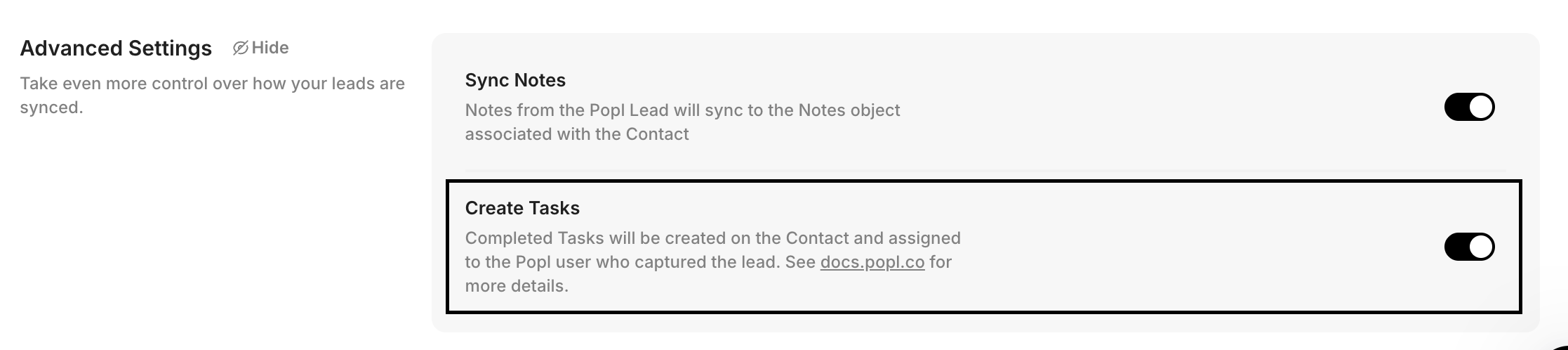
**Step 1: Enable Task Creation**
1. Navigate to **Integrations → HubSpot**
2. Open the **Advanced Settings** tab
3. Toggle **Create Tasks** ON
4. Save your changes
**Step 2: Configure a Contact Field Mapping to Overwrite**
At least one contact field must be set to **overwrite** so HubSpot recognizes the update and triggers task creation.
1. Navigate to **Integrations → HubSpot → Contacts tab**
2. Locate your **Contact Field Mappings**
3. Set **at least one field** to **Overwrite field**
Example:
* Overwrite the **Last Name** field so the contact is considered “updated” when a new task is added
This ensures that when an existing contact is updated, a new task is created and associated with that contact.
***
#### Alternative: Use a Custom Property
Instead of overwriting a standard field, you can use a custom property:
1. Create a **custom contact property** in HubSpot
2. In Popl, create a **fixed field mapping** (manually enter the value, like "create new")\
from that custom property to a fixed value
3. Set the mapping to **Overwrite**
4. Save your changes
5. Ensure **Create Tasks** is toggled ON in **Advanced Settings**
The example below uses a HubSpot custom property, "Update Task" and static maps it to the fixed value of "Create New"
This approach is useful if you want to avoid modifying standard contact fields.
***
#### Viewing Tasks in HubSpot
You can view tasks associated with a contact directly from the contact record or from the Tasks dashboard.
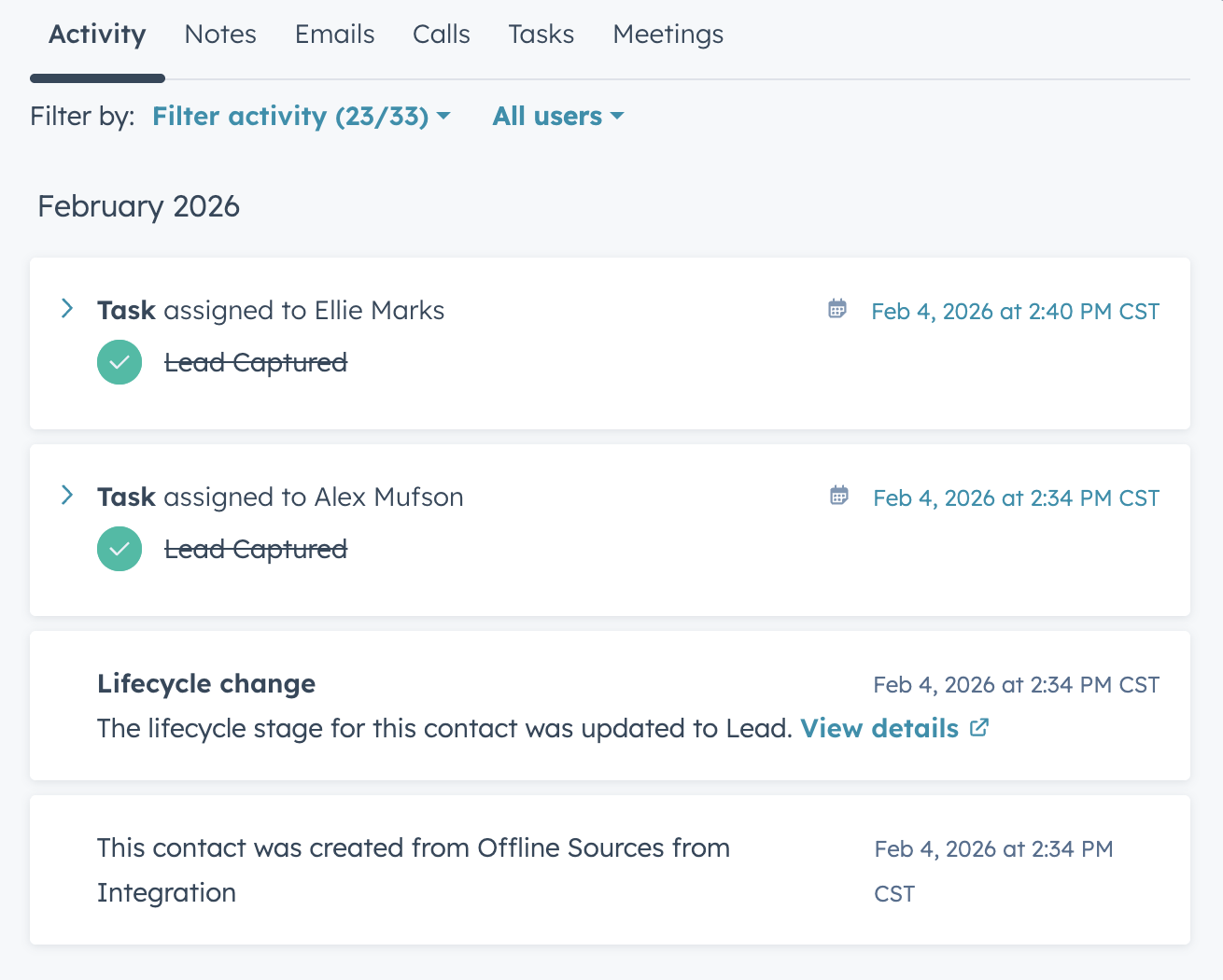
**View Tasks on a Contact Record**
1. Navigate to your **HubSpot account**
2. Go to **CRM → Contacts**
3. Select and open the desired **contact record**
4. Tasks will appear in the **contact timeline**
***
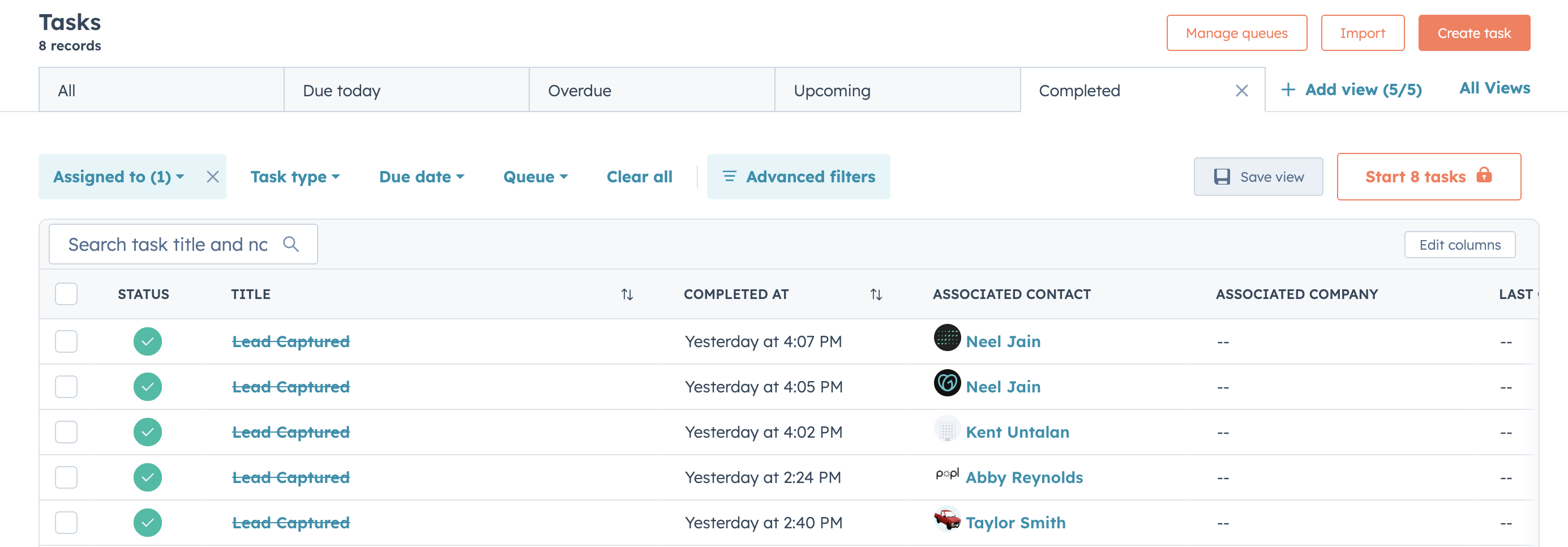
**View Tasks from the Tasks Dashboard**
1. Navigate to **CRM → Tasks**
2. Select **Completed Tasks** (or adjust filters as needed)
3. View all tasks associated with your contacts
***
#### Need Help?
Contact Popl Support – our team is available to assist at .
\
With 🤍 from Popl.